
How to Reserve Event Space (For Employees)
Lee College employees can now reserve campus spaces for events using the GoFMX (FMX) platform. Follow these steps to submit a reservation request:
1. Log In via Single Sign-On (SSO)
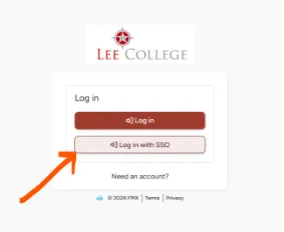
Go to the Lee College FMX Login Page and click the Log in with SSO button. Use your standard network username and password, just like logging into OneLogin. The first time you log in via SSO, the system will prompt you for a couple of identifiers before proceeding.
2. Find and Request a Space
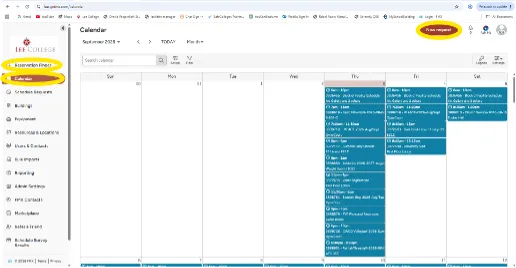
Once logged into FMX, you can search for available spaces using the Reservation Finder or the Calendar options located on the left menu. To submit a reservation, click the New Request button in the top right corner to fill out the Facility Request Form.
3. Await Approval
Please note that all reservations require formal approval. However, spaces that show as available in FMX are generally open for booking.
4. Access Training Resources
If you need additional guidance on the request process, you can review the FMX User Training Video.